work
Connecting an AI tool went from 19 steps to one screen
I redesigned a secure AI gateway that’s sold to other organizations, design system included. Stakeholders approved it, and the dev team is building it now.
- 19Setup steps · before
- 1Screen · after
- 5Admin groups · from 12
- PROJECT
- Secure AI Gateway
- ROLE
- Lead UX/UI Designer
- TIMELINE
- 2026
- STACK
- UX/UI, Product, Design Systems
Overview
I redesigned a secure AI gateway: one place where developers connect their tools to the AI models they can use, and where admins decide who gets which. It's a commercial product, sold to other organizations, and each one can make it look like their own.
I led the UX/UI and the design system for the team. That meant reviewing the live product, mapping how people moved through it, building the foundations and component library, and turning it all into a working prototype. Stakeholders reviewed the redesign and approved it, and I handed it to the dev team, who are building it now.
Four changes did most of the work:
- A new developer's first connection went from 19 steps across several screens to three rows on one screen.
- Chat moved into the same sidebar as everything else, and the admin side went from 12 flat items to five groups.
- Admins can see who has each model and how they got it, and every change says who it reaches before it saves.
- A blocked request explains itself in one plain sentence, written by the admin who made the rule.
Where it started
I began by reviewing the live product screen by screen. Then I mapped it, drawing how people moved through it today next to how it should work. I also mapped a developer's first session step by step, with how they'd feel at each one, and made personas for the main roles.
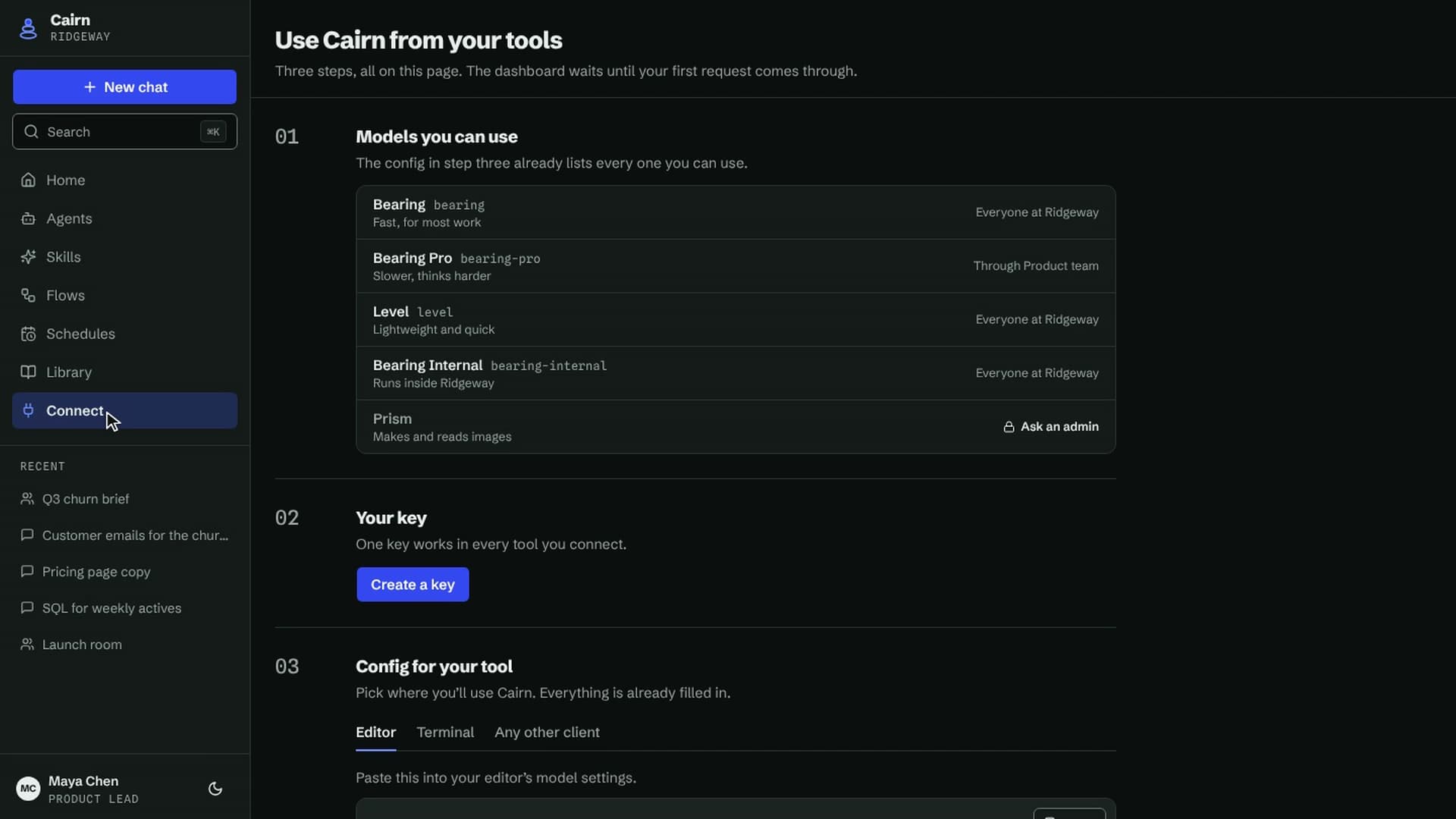
There was no onboarding. A new developer signed in to a dashboard of zeros: no requests, no tokens, no cost, and more than 15 empty cards. Mapped end to end, connecting a first tool took 19 steps across several screens, with settings copied by hand from one to another.
Lead with connecting a tool
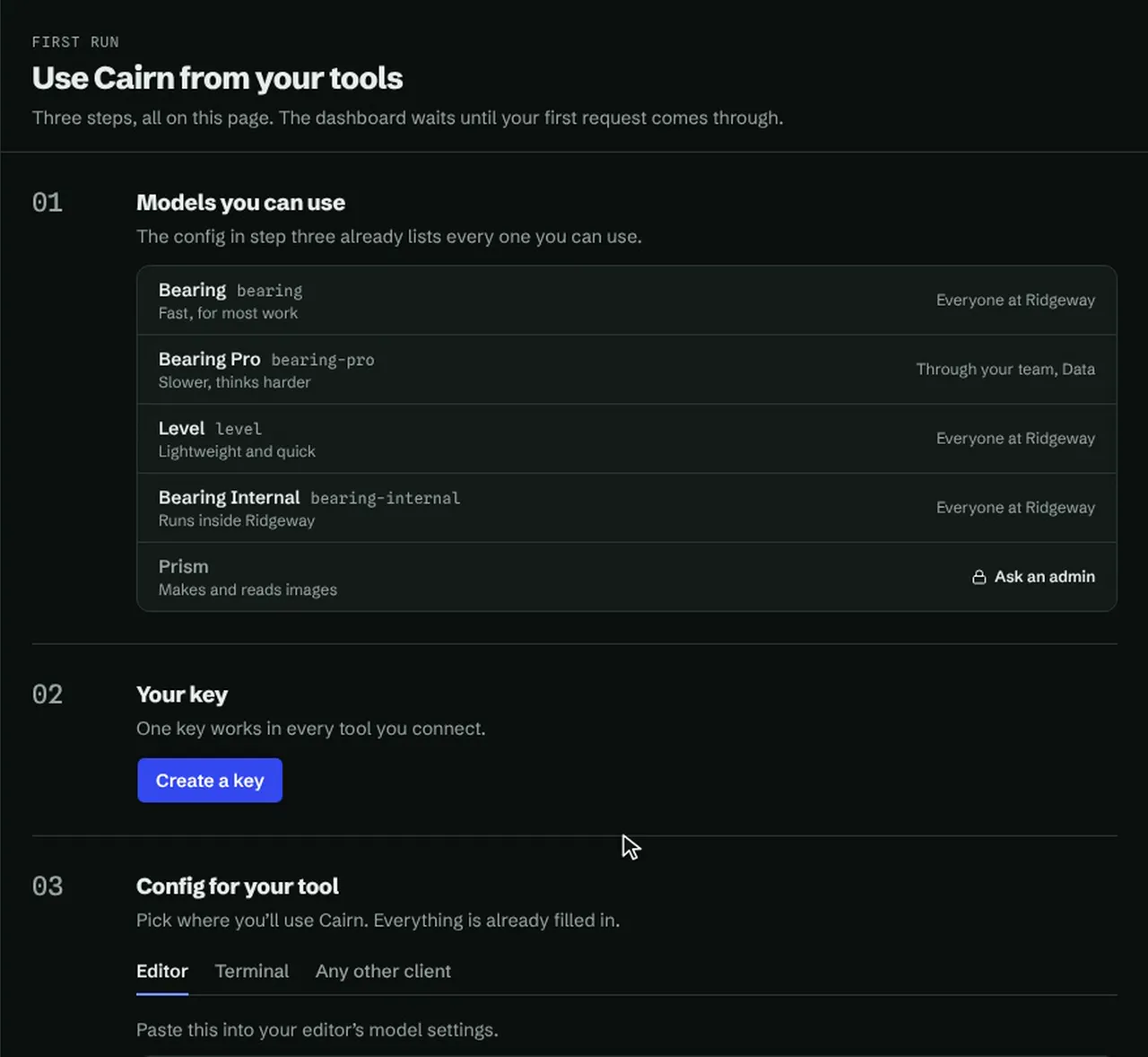
First run now opens on three rows instead of the dashboard: your models, an API key, and the config for your tool. The config arrives with the key, with the address, key, and every model name already filled in.
The dashboard wasn't wrong, just early. It measures traffic, so it waits until your first request comes through.
Show where access comes from
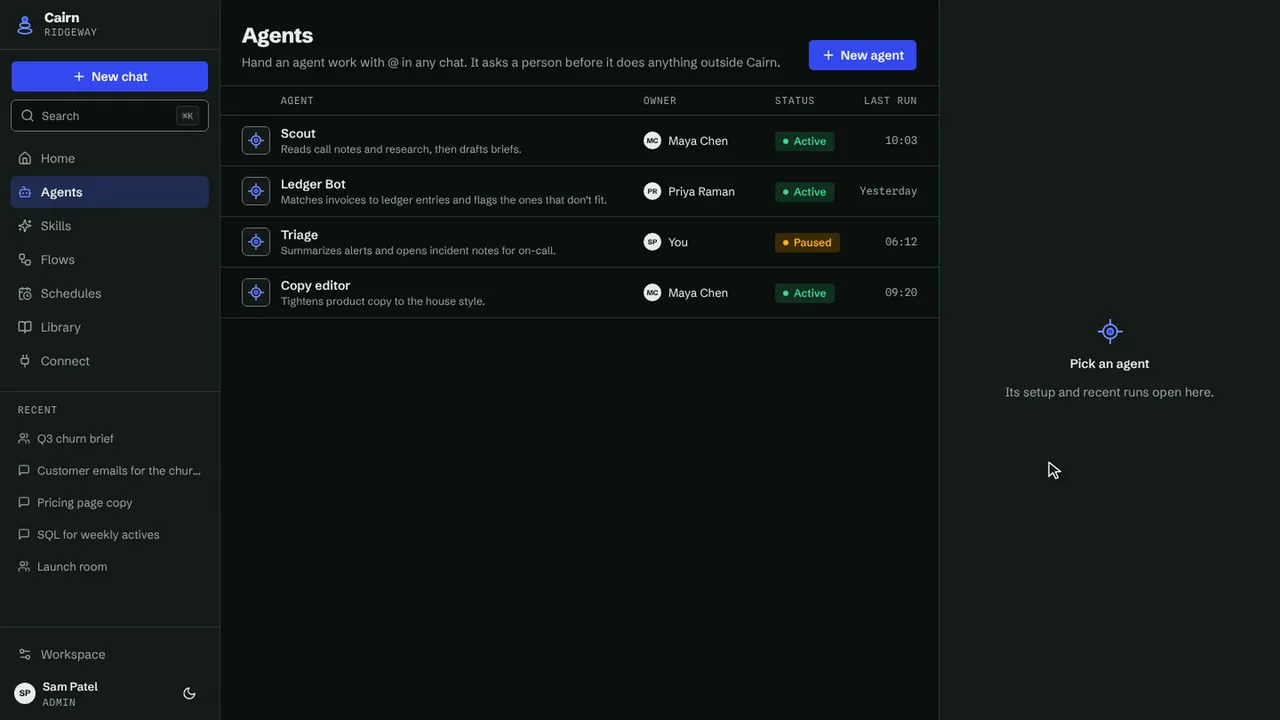
Admins managed access on one screen with five tabs. Assigning a model meant reading across three panels while keeping the person, their groups, and the model in mind. The only way to add someone to a group was to drag them, which doesn't work from a keyboard.
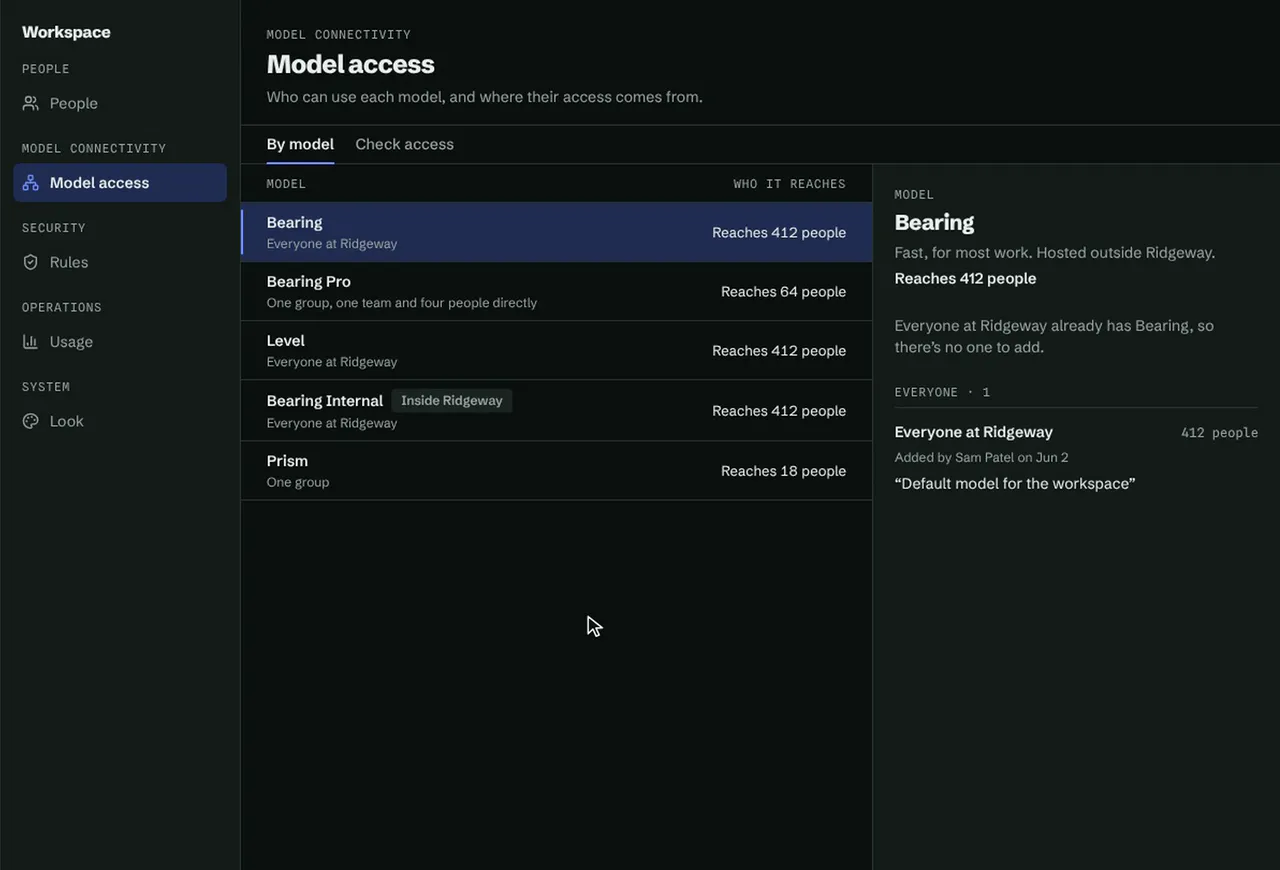
My first answer was a request queue, where new users asked for models and admins approved them. Admins wanted to decide access themselves, so it became one Model access page. I tried four layouts for it side by side: by model, a grid of groups against models, one person at a time, and named sets of models. I kept two, as views of the same page.
By model opens on the models, each with the number of people it reaches. Pick one and you see everyone who has it and how: directly, through a group, or through their organization. Giving access means ticking groups or people instead of dragging them. Before it saves, it says how many people will gain access and asks for a reason, which goes in the audit log.
Check access answers the question that usually comes next: why can this person use this model, or why can't they? It draws every path from the person to the model, each with the one action that changes it, and lists who changed their access and when. Clicking anyone in By model opens it.
One app, one way around
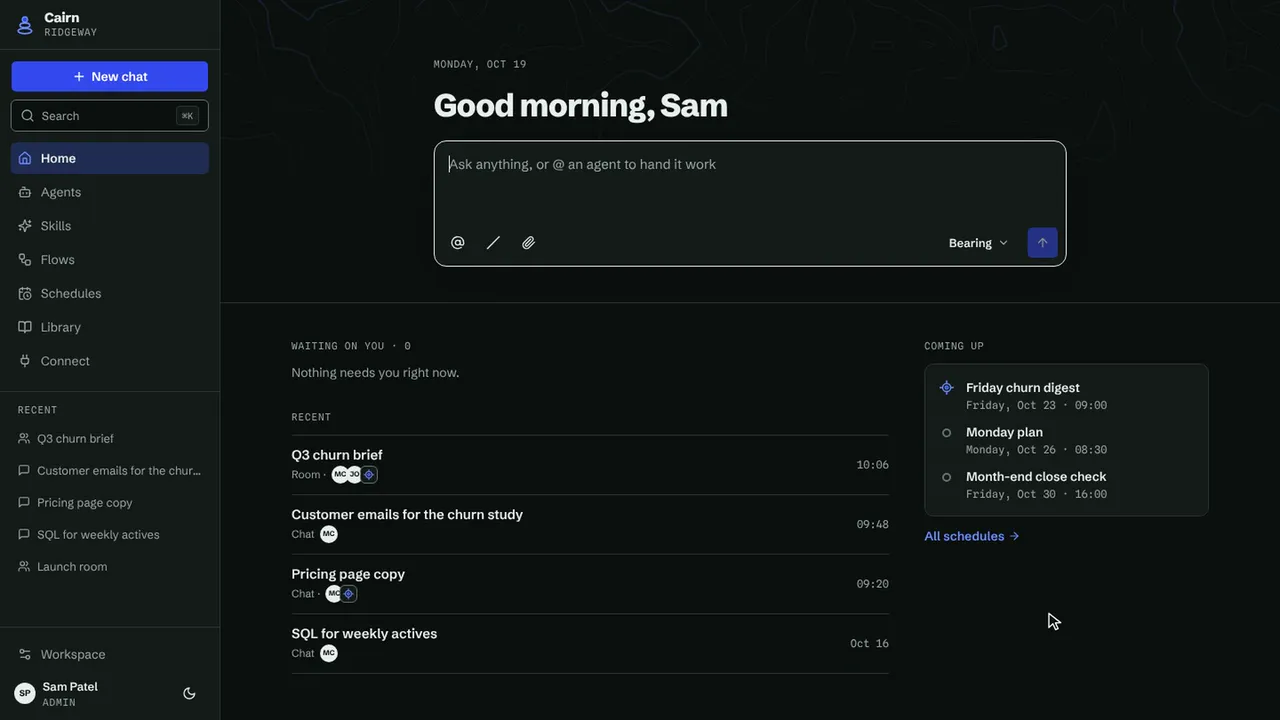
The biggest change was the navigation. Chat opened a second app inside the first, with its own top navigation, so people had to carry two mental models for one product. I folded chat into the same sidebar as models and keys.
The admin side had the opposite problem. Its 12 items sat in one flat list, so managing people meant scanning past budgets and monitoring every time. I grouped them into five: people, model connectivity, security, operations, and system.
Blocked requests explain themselves
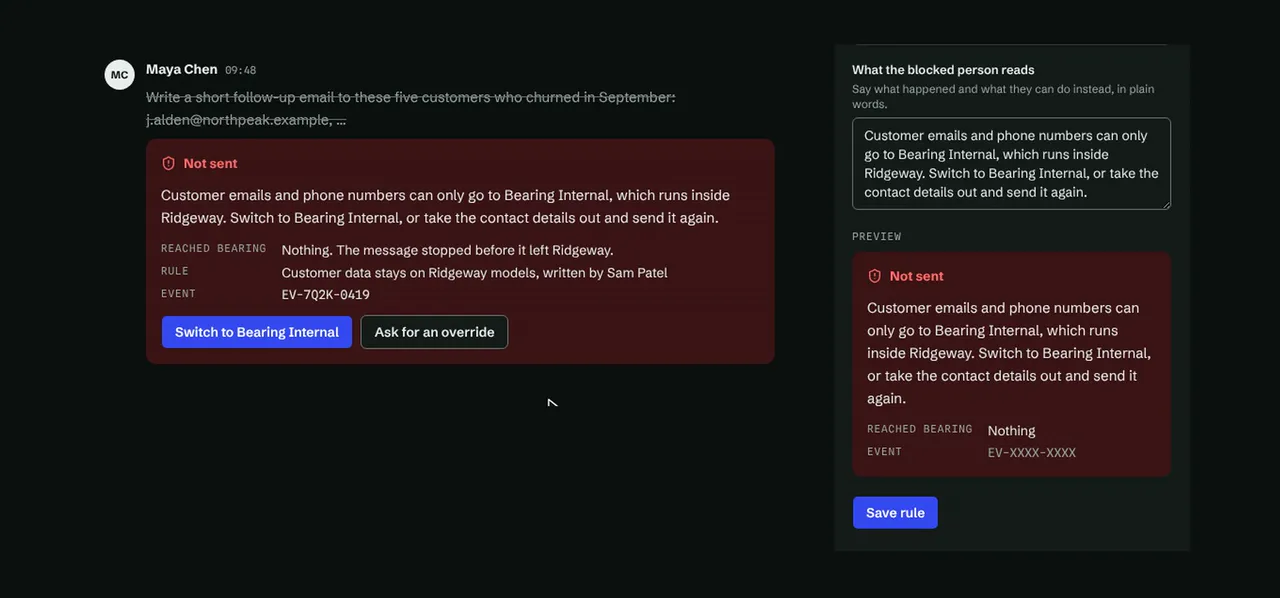
When a rule blocked a request, its details repeated the same code three times and never said what happened. Now each event opens on one plain sentence, says whether anything reached the model, and gives an event ID. Asking for an override is its own step.
That sentence starts with the admin. A rule can't be saved until someone writes what the blocked person will read, so every event has a sentence to show. Approving or declining an override needs a note too, and the note goes back to the person who asked.
Foundations
Under every screen is the design system, and I built it before any of them, so the prototype could be made from it and never drift. Starting from the brand guidelines, I kept the surfaces neutral so the brand colors only appear where they mean something. The brand color goes on controls, and the accent marks no more than three things per screen.
Every color is a token pointing at a step on a ramp, and light and dark are two modes of the same tokens.
Components
I built the library once for design and once in code, with the same names in both, so designers and developers always mean the same thing. There are more than 50 component families, and light and dark come from switching the mode, not from separate copies.
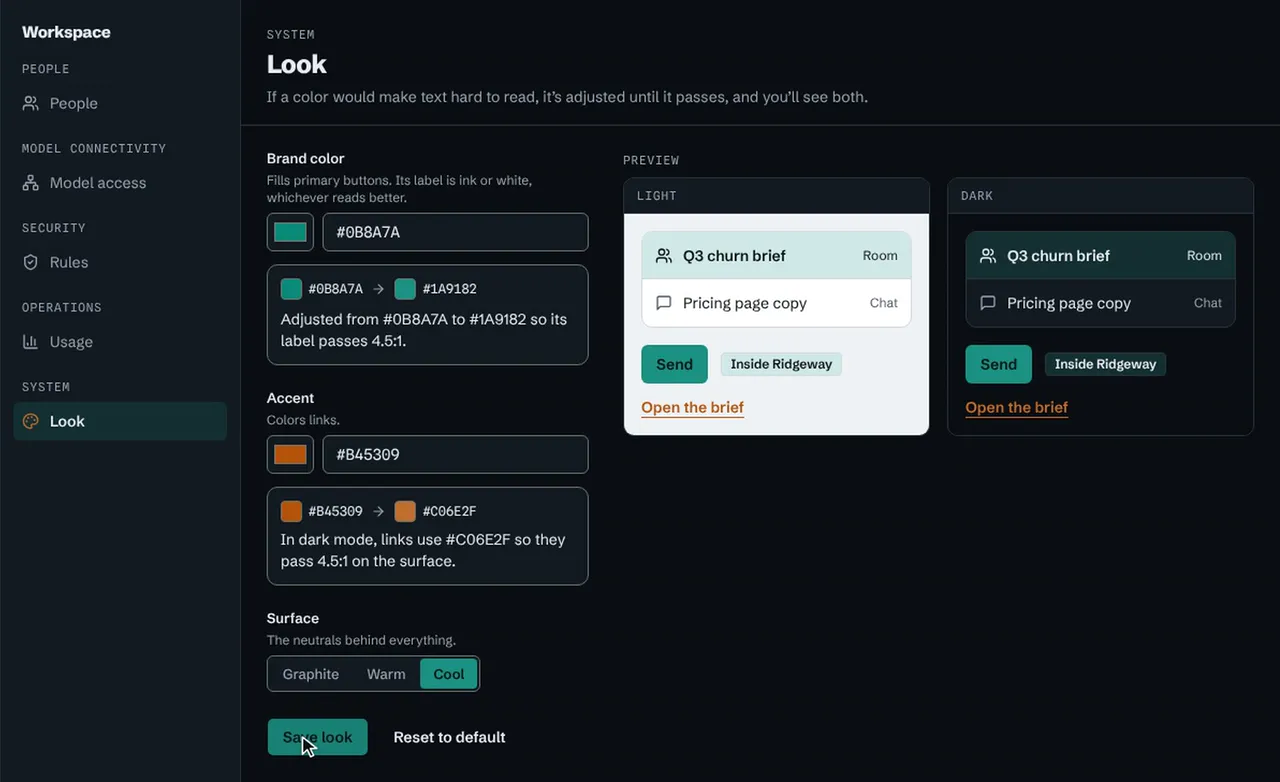
Because the gateway is sold to other organizations, each customer needs it to look like theirs. An admin picks a brand color, an accent, and a surface style, and every component repaints. If a color they pick would make text hard to read, the system adjusts it until it passes, so no brand choice can break the product. Dark mode is worked out from their light theme.
From prototype to handoff
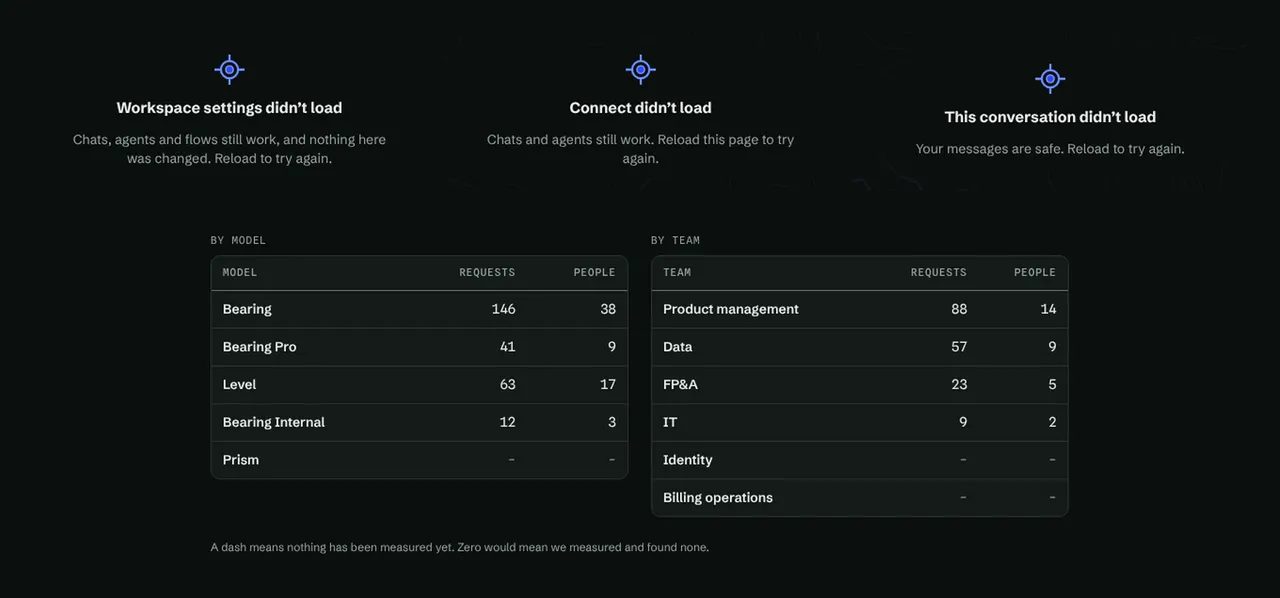
I skipped high-fidelity screens and built the prototype in code, which was as quick as drawing them. The developers needed real states, not just the happy path, so every screen handles loading and errors, and empty wherever empty can happen. With the library already built, the prototype couldn't drift from the system, and stakeholders could click through it instead of reading frames.
Errors say what still works, so a failed page doesn't read like an outage. Empty dashboards show dashes instead of zeros, because a zero says something was measured and found to be nothing.
I handed the prototype and the component package to the dev team, with a guide that says what to take and what to leave behind.
Where it stands
The redesign is approved, and the dev team has started building it. Two admin screens are still open: there’s no way yet to give an application its own identity, and no delegated admin role. The Figma screens are also drawn in light mode only, though every color is a token and the code ships both.