work
A 3-hour training setup became one bulk assignment
I redesigned the console training managers use to build rosters across a deeply nested organization. The managers and leads using it gave lots of positive feedback.
- 3Hours per event · before
- 1Bulk assignment · after
- 2Ways in · one per role
- PROJECT
- Enterprise User Management
- ROLE
- Lead UX/UI Designer
- TIMELINE
- 2026
- STACK
- UX/UI, Product, Frontend
Overview
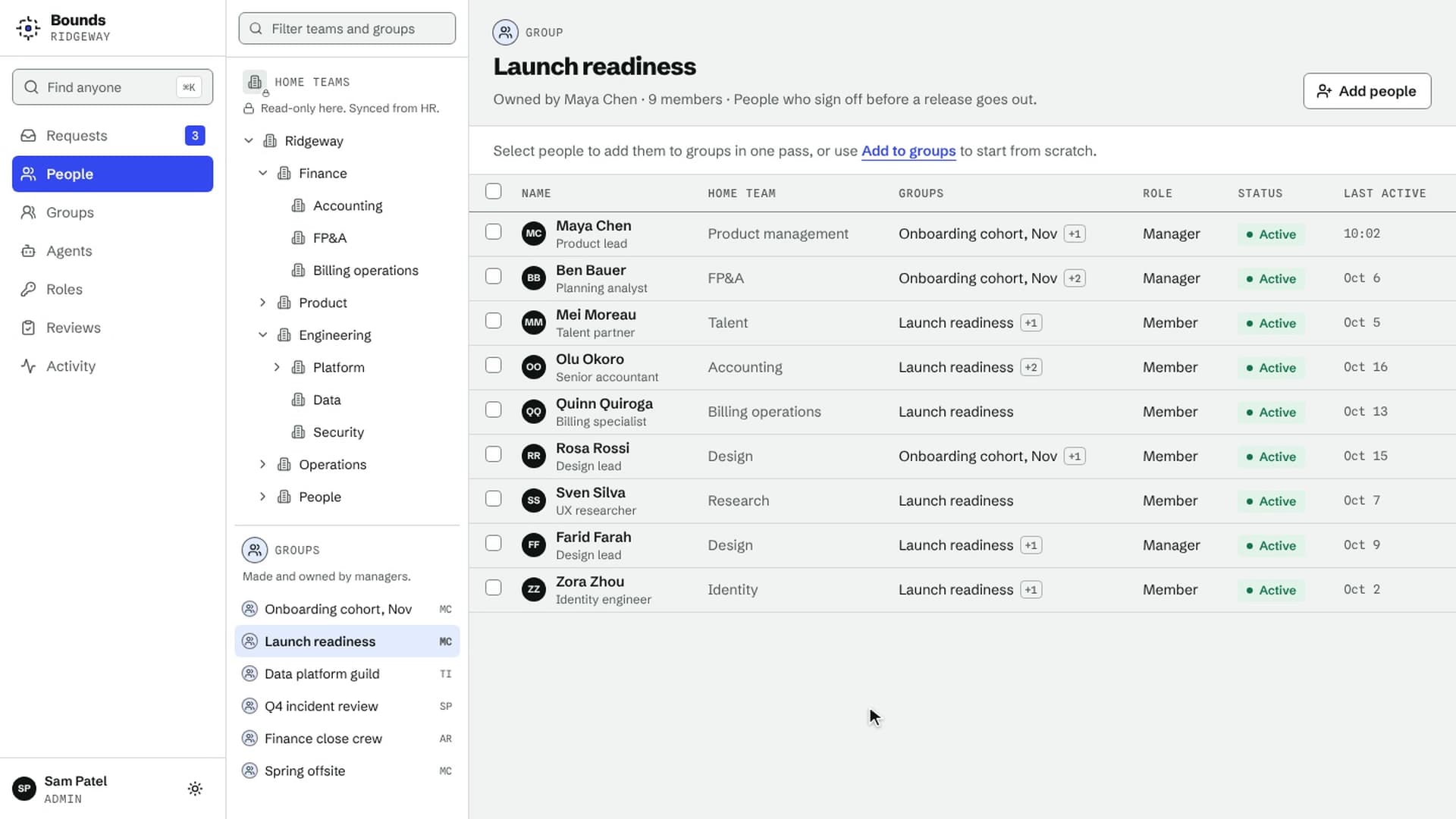
I redesigned the admin console that training managers use to build rosters across a deeply nested organization. Setting up a training event went from assigning people one at a time, about 3 hours of work, to a single staged bulk assignment. The console also covers organization management, role assignment, and direct access to each person's profile.
The managers and leads who use it gave a lot of positive feedback. In their words, it's:
“A game changer.”
I led the workflows, interaction design, prototypes, and visual language, working with engineering and product.
The problem
"It takes me 3 hours to set up a single training event."
Managers pull dozens of people or more from a hierarchy many levels deep, every week or month. The old tool assigned them one at a time. It also drew no line between home orgs, which no one in the console can edit, and training groups, which managers own. So people tried to change structures they didn't own, failed with no explanation, and filed tickets.
Mapping how training managers and admins actually work showed two more things. Users had no mental model of the two kinds of org. And the two roles navigate in opposite directions: managers start from a group and look for people, while admins start from a person and look for where they belong.
Set up a whole roster in one pass
Managers now find people by name or by the group they're already in, stage everyone, pick several groups, and confirm once.
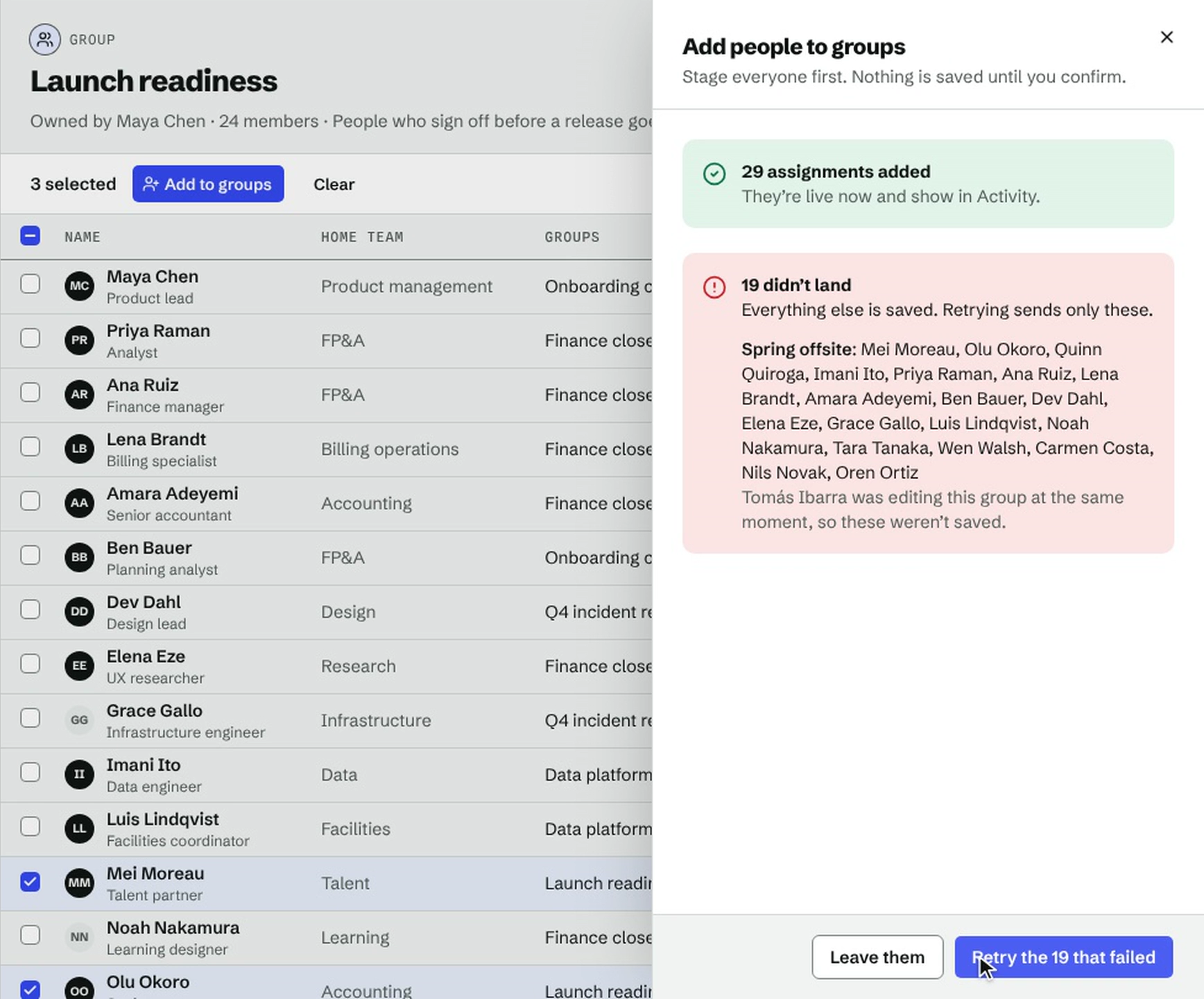
Nothing is saved until the manager confirms, so they can check the whole roster first.
For failed assignments, my first answer was an error toast and a button to retry everything. A toast can’t say which ones failed, and retrying everything would resend assignments that had already landed. So the result names each group that failed and offers to retry just those.
Stop failed edits before they happen
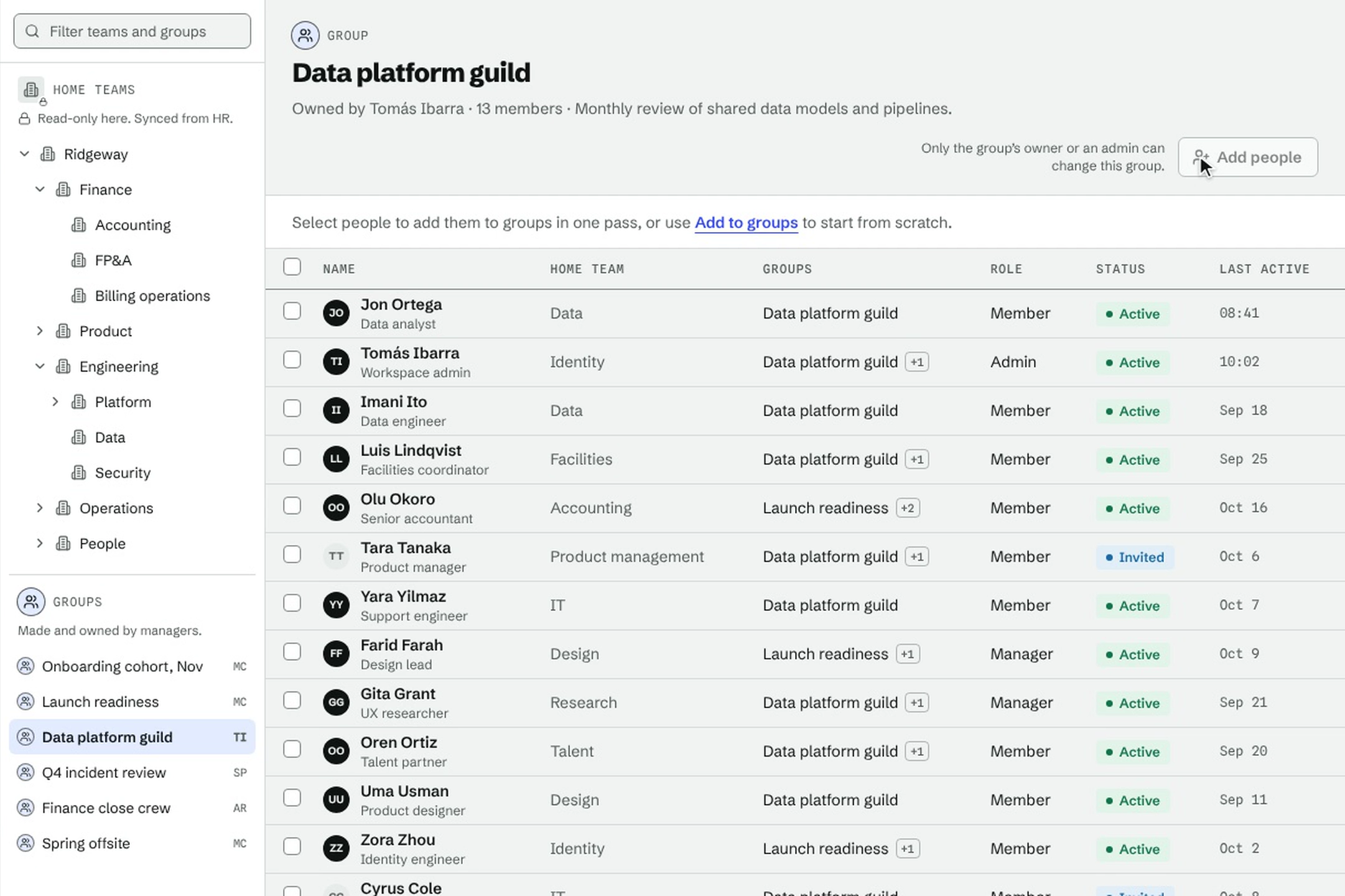
Home orgs and training groups now look different. Each has its own icon and color in the org tree, and the panel header names the type in words.
The icon only shows the type, not whether you can edit it, because the same group can be editable for one person and read-only for another. What you can do shows up on the buttons instead. If an action is blocked, a short note beside it says why.
Actions that can never apply to you are removed, not disabled. That keeps menus short, at the cost of hiding what other roles can do.
Let each role start where they think
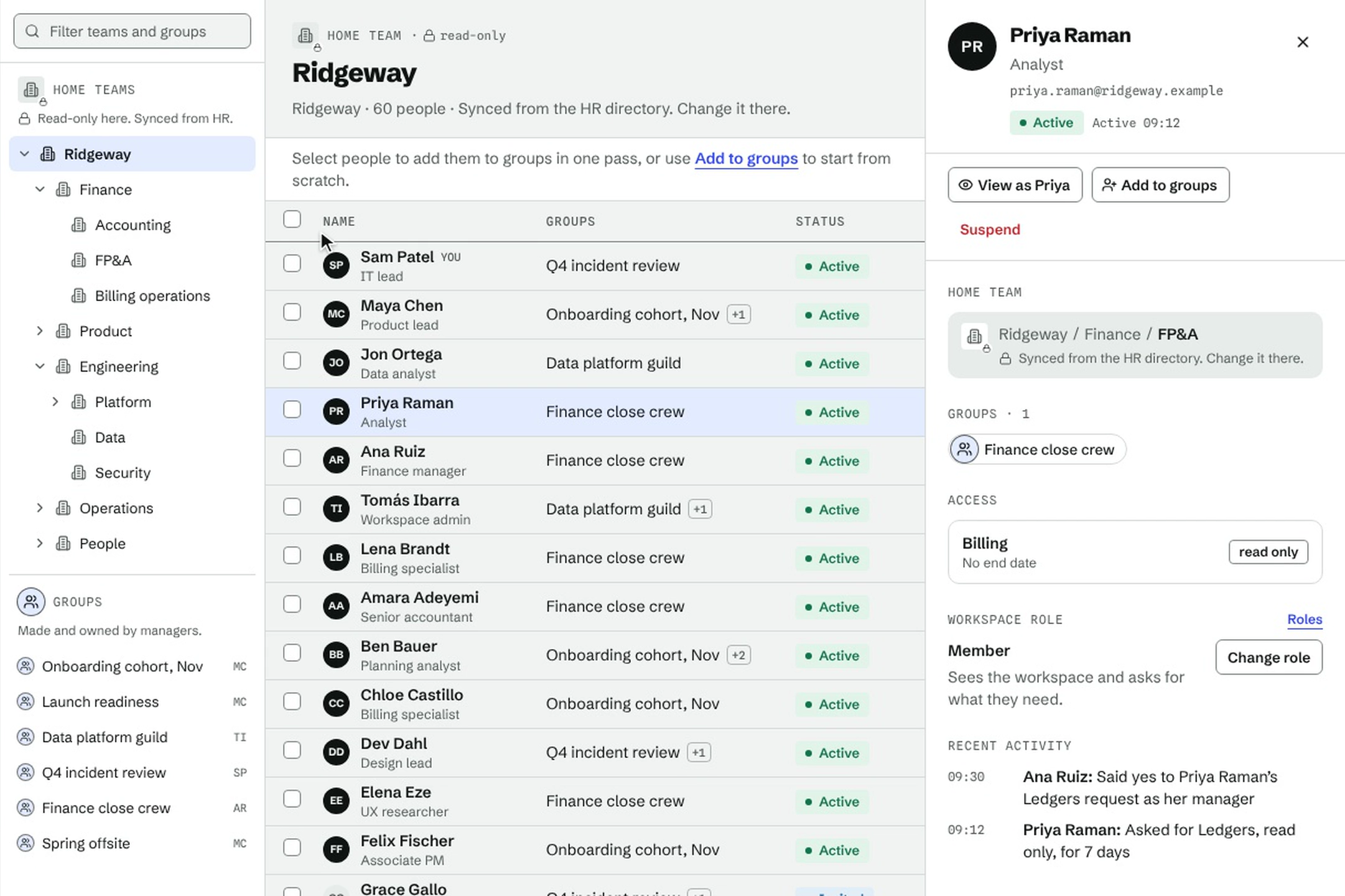
Instead of forcing one role down the other's path, the console has two ways in. Managers work top-down from the org tree. Admins work bottom-up from search, which covers every branch and opens from the search button in the navbar or with ⌘K. Both open the same profile.
The profile answers the admin's question in one place. It shows where the person sits in the home orgs, which training groups they're in, and which permission groups they hold. Permission groups are there for context and can't be edited here.
The first version gave basic users a separate self-service page. That was wrong: it hid the org they belong to and meant two apps to keep in step. They now get the same console with the write controls removed.
Looking back
If I did it again, I’d test the high-fidelity prototype with the people who use it. Validation came from stakeholder reviews instead, and trainers still route group creation through admins. The same stage-then-confirm pattern now runs through organization management and role assignment too.